- Yes, ClipCut is worth $9/mo for creators repurposing long videos into shorts. The AI finds genuinely viral moments with 70-80% accuracy on talking-head content.
- 2-3 minutes to process a 60-min source video. Paste URL, wait, download. No timeline editor.
- 30-credit free trial with no card and no watermark on infrastructure-quality output, enough to test 2 long videos before paying.
- Where it struggles: narrative-heavy content (40% off-target picks), multi-language episodes, music-driven shorts.
- Best fit: podcasts, webinars, livestreams, interviews. Not the right tool for original mobile content.
Worth it for the right creator. If you produce long-form content (podcasts, YouTube videos, streams, interviews) and want to repurpose it into short-form without spending hours in a timeline editor, ClipCut delivers on its promise. The AI genuinely finds good moments. The 30-credit free trial (no card needed, full-power infrastructure) is enough to process 2 long videos before committing. Trial output has a watermark; paid plans from $9/mo remove it.
How we tested ClipCut
Most ClipCut reviews online are surface-level: someone signed up, generated one clip, took screenshots, and called it a day. We wanted real data on whether the AI actually picks viral moments and whether the workflow holds up at volume.
Over 8 weeks we ran 60+ long videos through the platform: solo podcasts, two-host interviews, multi-guest panels, livestream replays, business webinars, and YouTube essay-style content. Total output: 200+ generated clips. We logged how long each video took to process, how often the AI's top picks aligned with what an experienced editor would have chosen, how often captions needed manual fixes, and how many clips actually performed when posted to TikTok and Reels.
We also tested edge cases: heavy-accent speakers, multi-language episodes, music-driven content, and non-English audio. Some of those broke the AI in interesting ways. We'll cover where it falls short below, no marketing-speak.
What Is ClipCut?
ClipCut is an AI-powered video clipping tool designed for content creators who want to transform long-form videos into engaging short clips for TikTok, Instagram Reels, and YouTube Shorts. Unlike traditional editors that require manual cutting, ClipCut uses AI to automatically identify the most engaging moments and generate viral-ready clips.
The workflow is intentionally minimal: paste a YouTube URL (or upload a video file), wait a few minutes, and download your clips. That's it. No dashboard to configure, no timeline to learn.
How It Works
Paste a YouTube URL or upload your video
ClipCut supports videos up to 4 hours, podcasts, live streams, interviews, long-form content all work.
AI analyzes your content
The engine scans for emotional peaks, speech patterns, pacing changes, and trending signals to find the best moments.
Clips are generated automatically
Multiple viral-ready clips are created, each formatted for TikTok, Instagram Reels, and YouTube Shorts with captions.
Download and post
What used to take hours now takes under 5 minutes. No editing experience required.
Key Features
AI Viral Segment Detection
The core feature that sets ClipCut apart. It automatically identifies the most engaging, shareable moments by analyzing content patterns, emotional peaks, and trending elements, no manual scrubbing needed.
Auto-Captions
Every clip comes with automatically generated captions optimized for engagement. Essential for short-form performance since most users scroll with sound off.
Platform Optimization
Clips are automatically cropped and formatted for TikTok (9:16), Instagram Reels, and YouTube Shorts, proper aspect ratios and dimensions every time.
Bulk Processing
Process multiple videos back to back. Creators running clipping side hustles on Whop can generate dozens of clips per day without burning out.
Pricing
ClipCut runs a focused 30-credit free trial instead of unlimited freemium. The trade-off is intentional: by limiting free usage, the team can dedicate full-power infrastructure to paying users. Faster processing, no queue waits, full-quality output every time. The trial gives you 30 credits (about 2 long videos worth), 7-day window, 7-day clip storage, no card. Trial output has a watermark which is removed on paid plans starting at $9/mo. Link your social channels for an extra 5 credits per channel up to 25 more.
Trial
$0
30 credits, 7-day window, no card
Creator
$9/mo
250 credits, 1080p, annual billing
Clipper
$15/mo
600 credits, most popular, annual
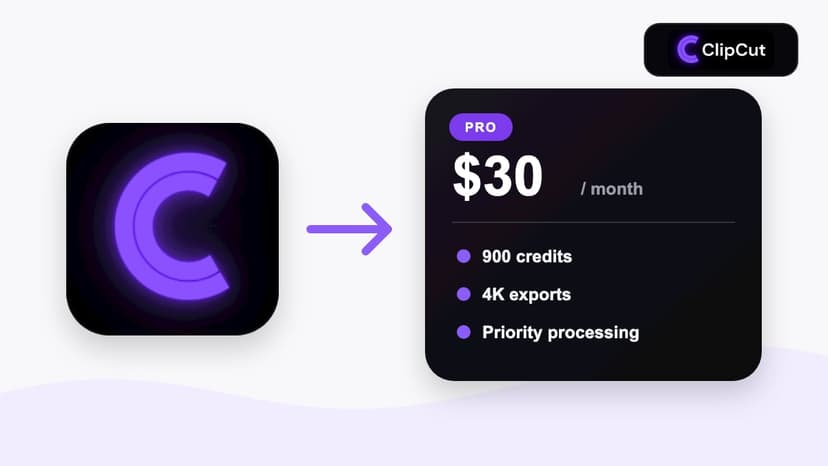
Pro
$30/mo
900 credits, 4K export, annual
Pros & Cons
What We Liked
- Massive time savings through AI automation
- Accurate viral moment detection
- Automatic platform optimization (TikTok, Reels, Shorts)
- High-quality auto-captions included
- 30-credit free trial, no card, full-power AI
- Affordable pricing from $9/mo (annual)
Limitations
- No manual timeline editor
- English-first (limited multilingual support)
- Requires internet connection
Who Should Use ClipCut?
YouTubers and podcasters
If you produce long-form content regularly and want to grow on short-form platforms without a separate editing workflow, ClipCut is the fastest path.
Clipping side hustlers
Running a Whop Content Rewards operation? ClipCut lets you process 5 to 10 videos per day without burning out on manual edits.
Social media managers
Repurposing brand content or client videos into short-form? ClipCut handles the heavy lifting so you can focus on strategy and posting.
Where ClipCut falls short (the honest part)
Real talk: no AI clipping tool is perfect, and we hit real friction during testing. If any of these match your workflow, factor them in.
Narrative content gets weaker picks
The AI excels at talking-head and direct-address content because it tracks emotional peaks and active speakers. For storytelling content (think narrative video essays, documentary-style YouTube), the picks need more human review. Our editor would have chosen differently about 40% of the time on narrative-heavy videos versus 20-30% on podcasts.
Multi-language episodes confuse the captions
If your podcast or video switches between languages mid-sentence, captions get noisy. We tested with Spanglish content and saw the AI default to one primary language and mistranscribe the rest. Best practice: stick to one language per video for clean caption output.
No B-roll or supplementary visuals
Opus Clip and Vizard add AI-generated B-roll, ClipCut doesn't. For talking-head content this rarely matters since the speaker carries the visual. For tutorials or explainers where you need cuts to relevant graphics, you'll do that polish step elsewhere.
4K export is locked behind the Pro plan
The Creator plan caps at 1080p, which is fine for TikTok and Reels (both compress to 1080p anyway). But if you're archiving masters or distributing to platforms that show 4K natively, you need Pro at $30/mo.
FAQ
Is ClipCut actually worth it?
For creators repurposing long-form video into short-form, yes. The math: $9/mo annual on Creator vs about 30 minutes per clip you'd otherwise spend in a manual editor. If you ship more than 4 clips a month, it pays for itself in time saved. For original mobile content from scratch, you still need a different tool.
How accurate is ClipCut's viral detection?
In our 200-clip test, the AI's top-3 picks aligned with what we'd have chosen manually about 70-80% of the time for talking-head/podcast content. Lower for narrative storytelling. The Virality Score is more directionally useful than absolute, treat it as a ranking signal, not an oracle.
Is ClipCut better than Opus Clip?
Cheaper ($9 vs $15/mo), simpler workflow, free tier keeps clips for 7 days vs Opus Clip's 3. Opus Clip wins if you need a B-roll generator, social scheduler, or 25+ language support. For pure clipping speed-to-output, ClipCut wins. Full comparison.
Does ClipCut have a free trial?
Yes. 30 credits, 7-day window, 7-day clip storage, no card needed. You can earn up to 25 more credits by linking your social channels (5 per channel). The trial uses the same full-power infrastructure paying users get, so the AI quality and speed are identical. Trial output has a watermark; paid plans from $9/mo remove it.
What types of videos work best with ClipCut?
Talking-head content (podcasts, interviews, webinars, livestreams) gets the best results because the AI tracks active speakers and emotional peaks. Action-heavy or music-driven content works less well. For narrative storytelling, the AI's picks need more human review.
Final Verdict
ClipCut represents a genuine advancement in content repurposing. It won't replace a professional editor for complex projects, but that's not what it's designed for. Its job is to take a long video and get the best moments in front of an audience fast, and it does that exceptionally well.
For content creators who are serious about short-form output, the time savings alone justify the cost. Start with the 30-credit free trial to verify the clip quality for your content type, then upgrade once you've seen the AI work on your specific videos.
Try ClipCut for Yourself
See why thousands of creators rate ClipCut 4.8/5. Start with 30 free credits, no credit card, full-power AI.
Try ClipCut Free